Introducing Guide
A local-first tool for work that matters. 3 steps at a time. No busywork. Free. Offline. No login.
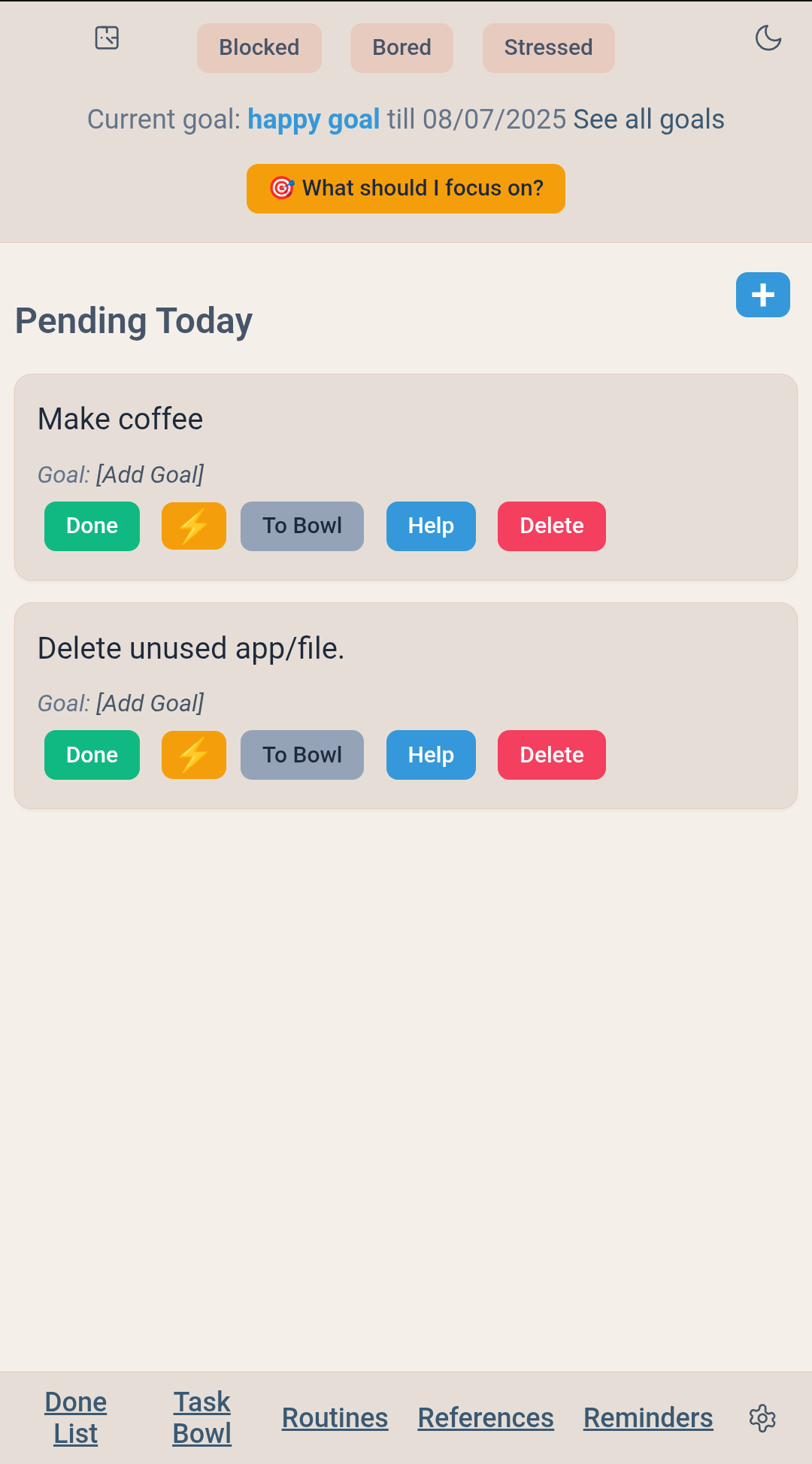
UPDATE_THIS:Guide home - Light theme |
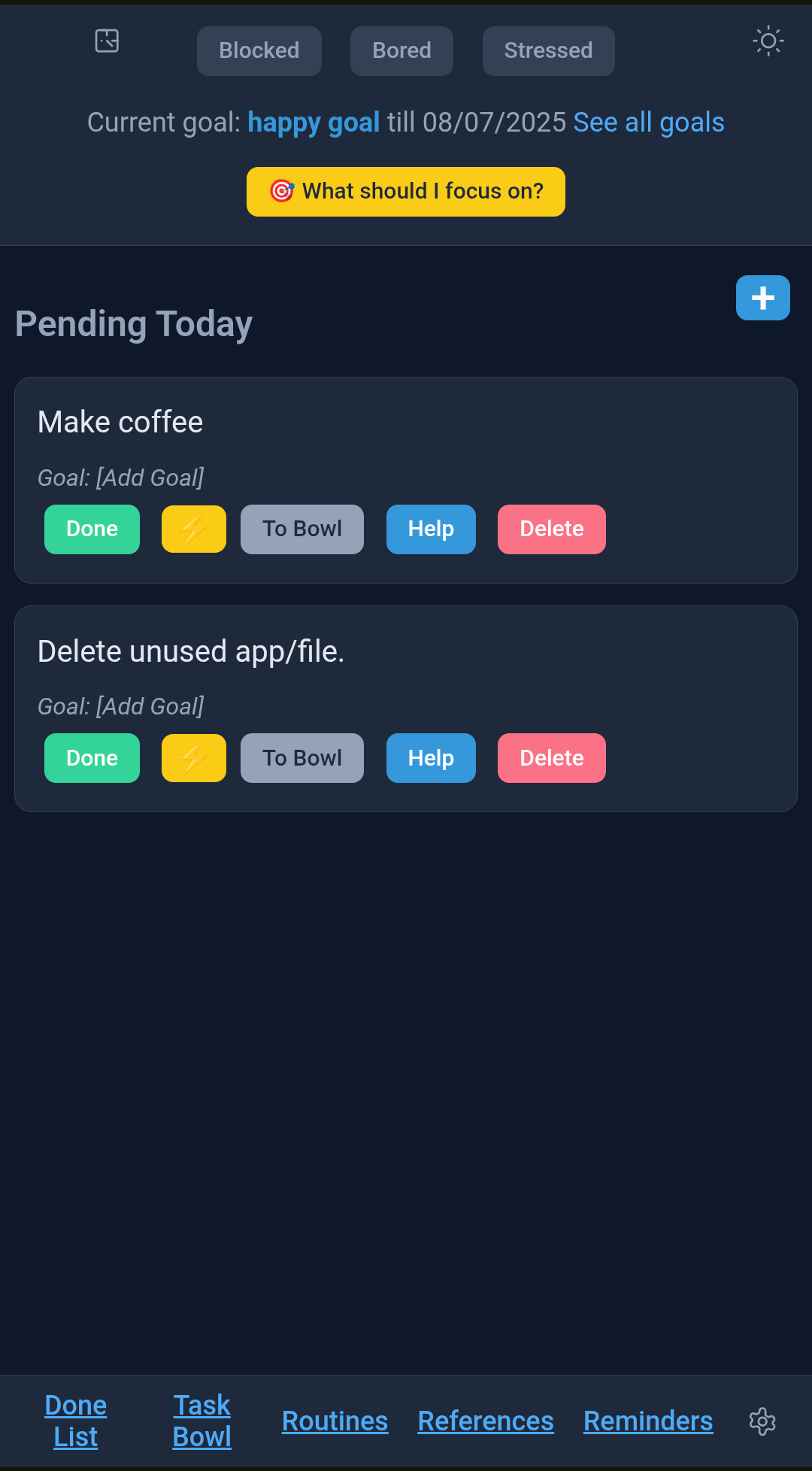
UPDATE_THIS:Guide home - Dark theme |
Before Guide, I had used Notion, Keep, text-files, Post-Its, Workflowy, Emacs Org-mode, Any.Do and ToDoist. I loved each one of them for what they had to offer.
But soon, my list would grow too huge. And no longer focused on meaningful goals in my life. And then either my To-Do items started getting drowned in the stack. Or I started feeling like I’m not making a dent. Or sometimes I did not know what specifically to pick up next from the 79 items on my list.
~~~ ~~~ ~~~ ~~~ ~~~ ~~~ ~~~ ~~~ ~~~ ~~~
That’s why I built Guide - to stop drowning in endless to-do lists. I use it for the Deep Work that advances my career and life - not as yet another place to track my To-Do.
Guide partners with you to show you the direction, identify the immediate next actionable step and keep you on the right path.
Why the other list systems were failing me
Because I was using them wrong.
Mixing chores with goals
Most to-do apps are digital hoarding mechanisms. They let you add 50 tasks, mix “Buy Cat Food” with “Draft Q4 Strategy,” and then shame you when you don’t finish them.
That is Noise.
When everything is a priority, nothing is. The typical list apps let you capture everything. Guide lets you filter.
Guide enforces a strict 3-task daily limit.
If your list is full, you cannot add a fourth task until you finish one or make the hard decision to move something to the backlog (The Bowl).
This forces you to negotiate with yourself before you start working. It ensures that what lands in Pending Today is Signal - the work that actually advances your career and life.
Keep groceries in Keep. Keep bug tickets in Jira. Use Guide for work that matters.
~~~ ~~~ ~~~ ~~~ ~~~ ~~~ ~~~ ~~~ ~~~ ~~~
I still use those other apps. Guide complements them, not replaces them.
If I want to get a reminder for my upcoming meeting, I still use my Google Calendar. I check my Google Keep to see what did I want to order for groceries. But they all treat “Buy Milk” and “Write Strategy Doc” as equals. They aren’t. I was mixing my chores and goals by using the same systems for both. Now I use Guide for my meaningful goals.
Are you doing project management instead of making progress
I used Notion and Orgmode to create projects, sub-projects, color-coded and tagging - the whole thing. After a while, I got lost in the weeds. It took too much time to keep them updated. With Guide, I just have 3 specific next steps that I need to do. And when I don’t even know where to start - I just ask. And it shows me the way.
Are you working like a Robot instead of a Human
Lists assume you are a robot who just needs instructions. But we are humans. We get bored. We get stressed. We get blocked by perfectionism.
Lists are passive. Guide is active. It understands that productivity is as much emotional as logical.
Guide is a system that combines your goals with mental ‘playbooks’ to help you conquer the stress, blocks, and boredom that truly derail progress. Guide offers interactive ‘playbooks’ with actionable advice to get you unstuck. You can even customize them with what works for you.
Guide helps you get in the flow using rituals that work for you. Stop wasting mental energy figuring out what’s next. With Routines, you can load your “Morning Kickstart”, start ticking off absolute mundane items like exercise to coffee to shower and so on and before you know, you are already in a flow ready for the day. It shows you the path of least resistance.
|
Acknowledges emotions |
Gets you out of weeds. |
Guide is completely private: There are no accounts, no servers, and no clouds. Guide is a single HTML file that runs entirely in your browser. This means your data is 100% yours, it works perfectly offline.
How can you use it
-
Set your focus: Mention your goal. Feel free to be vague. Pick something that you want to concentrate on for a set period (like a week or a month).
-
Add tasks for your goal: You can add as many tasks as possible. We suggest keeping tasks at a level that you can complete in about 1 hour. You can also click the “Guide me” button to auto-generate the tasks for the goal.
-
Add your 3 daily tasks: Pick up to 3 small, actionable tasks from your primary goal for the day. You can also get suggestion on where to start by clicking “What should I focus on” button.
-
Execute and build momentum: Enjoy the clarity of a short list. As you complete tasks, you’ll experience the powerful feeling that “done begets done.” Leave the list empty once you are done. Resist the add to keep adding more. Enjoy the clean-plate feeling. In the long run, consistency helps; we are looking at 90 complete tasks over a month!
-
Consult your playbooks when stuck: Feeling overwhelmed or unmotivated? Use the built-in, customizable guides to navigate the mental hurdles and get right back on track.
I have been using it personally for a while now and loving it! Give it a try - may be it helps you too.
| Get Guide Now |
|---|
| Or download to your system (Guide.html) (Right-click > Save link As…) |
FAQs
Who’s it for really? I’m not a list person. Is it still for me?
It’s for you if you have a decent-sized goal you want to work towards over next few weeks or more. It’s not for your chores. Or calendar reminders. Or to collect a bunch of random to-dos.
How does it work behind the scenes?
It’s a single HTML file with no external dependencies. Can work completely offline and uses local browser storage. So, no cross device sync for maximum privacy. If AI features enabled, it sends relevant data to your selected AI provider for the feature to work - like how you use ChatGPT / Gemini / Claude.
Is it secure and private?
Completely. Absolutely no one sees any data of yours. Your data stays on your browser and system. Only time data is sent off your system if you use the AI features - and that too stays private between you and the LLM provider if you use your own keys. When you use Guide Premium, we use a private AI key to ensure that AI provider is bound by their service agreements not to use your data for any purposes. We do not have access to any o your data at any point in any case.
Is a paid subscription required?
Guide is available for free for all basic features. You can .
Guide Premium requires a subscription which offers you all the AI features ready to use straight away, while your data remains private.
How do I trust what you say?
Guide is fully open source.
For more details, pictures and the code, check out the Guide repository on GitHub. or reach out to us at guide@nextfive.simplelogin.com